
Visitors choose what is shared
Visitors choose whether to share a conversation with you. Your AI Avatar does not remember visitors between conversations.
 personagramAI
Every business owner gets the 11 p.m. text. Your AI Avatar answers it, with a face, a voice and what you teach it. It works on your website, your link and your QR codes, in 20 languages. It also makes your ads and hosts your podcast.

Customers ask the same questions at every hour. Your AI Avatar answers them from what you teach it: on your website, on your link and on every QR code you print.
You make it once. Then you go to sleep, or to your kid’s game.
AI Dave answers a plumber’s website. AI Ashley answers a hair salon’s link in bio. AI Coach Mike runs a gym. Ask what a customer would ask, by voice or text. They are fictional, like the video. Each conversation lasts up to 3 minutes and is not saved.
Add your AI Avatar to your website from its Share menu. It sits in a bubble in the corner, like AI Jen on this page. Visitors tap it and ask by voice or text.
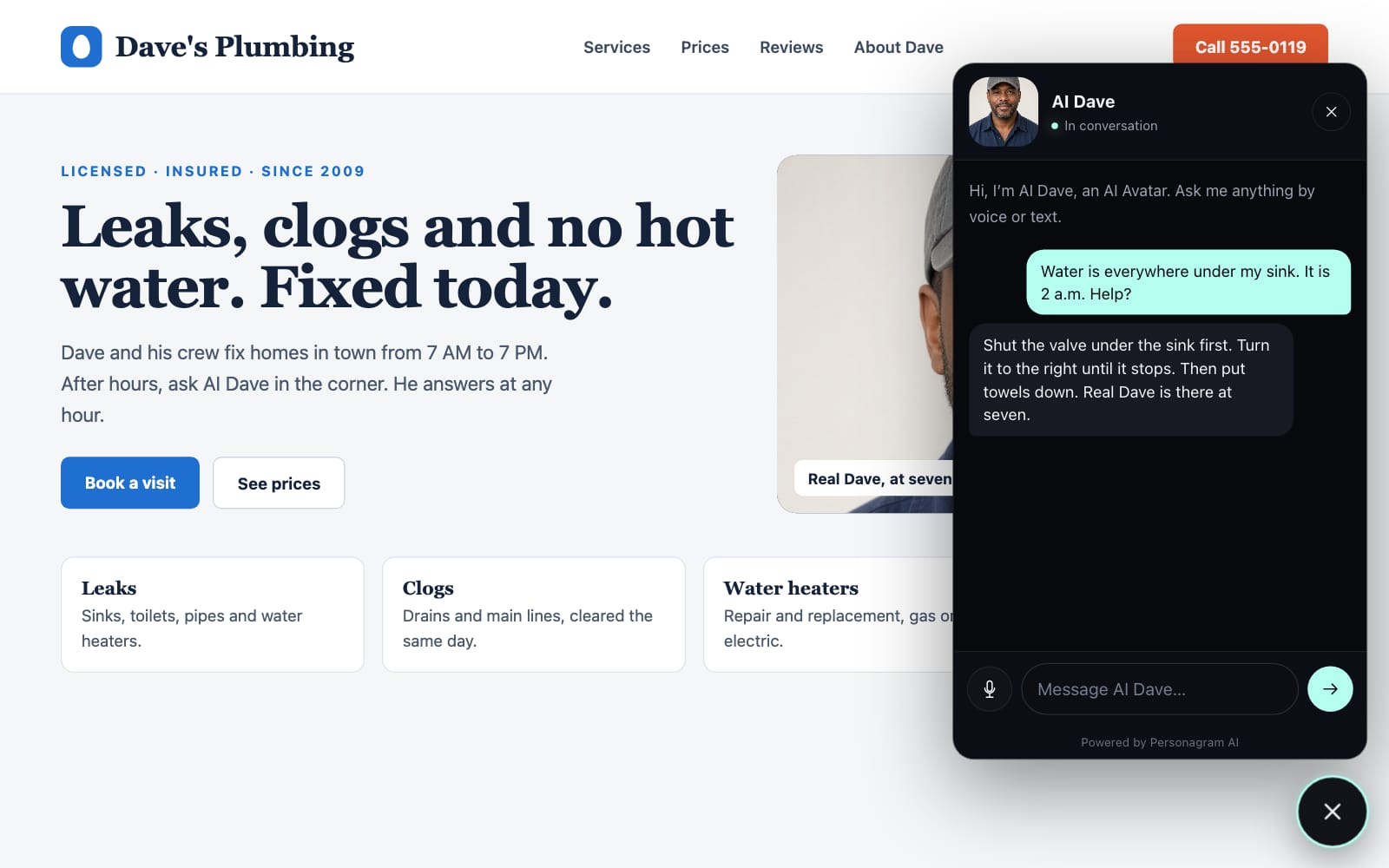
Each AI Avatar gets its own link and QR code. People scan the code and talk to your AI Avatar on their phone, in their own language.
Put the code on
Turn a link off, or replace it with a new one, at any time.

Describe what to promote. The AI writes the script. Your AI Avatar presents it with captions, and the video ends with a QR code.
Choose Create video from an AI Avatar’s menu. Describe a product, a service or an offer.
Use an AI picture or an AI animation, for a video of 10 to 30 seconds. Or use your own photos.
The video ends with a QR code. It opens your AI Avatar’s share link, or your own link.
The AI writes the script. Your AI Avatar presents it with captions. Share it to Instagram, TikTok, LinkedIn, YouTube Shorts or X.
Upload up to 4 photos of a product or a place. Your AI Avatar presents them in a video made by Grok Imagine, in its own voice. The video is 10 or 15 seconds long.
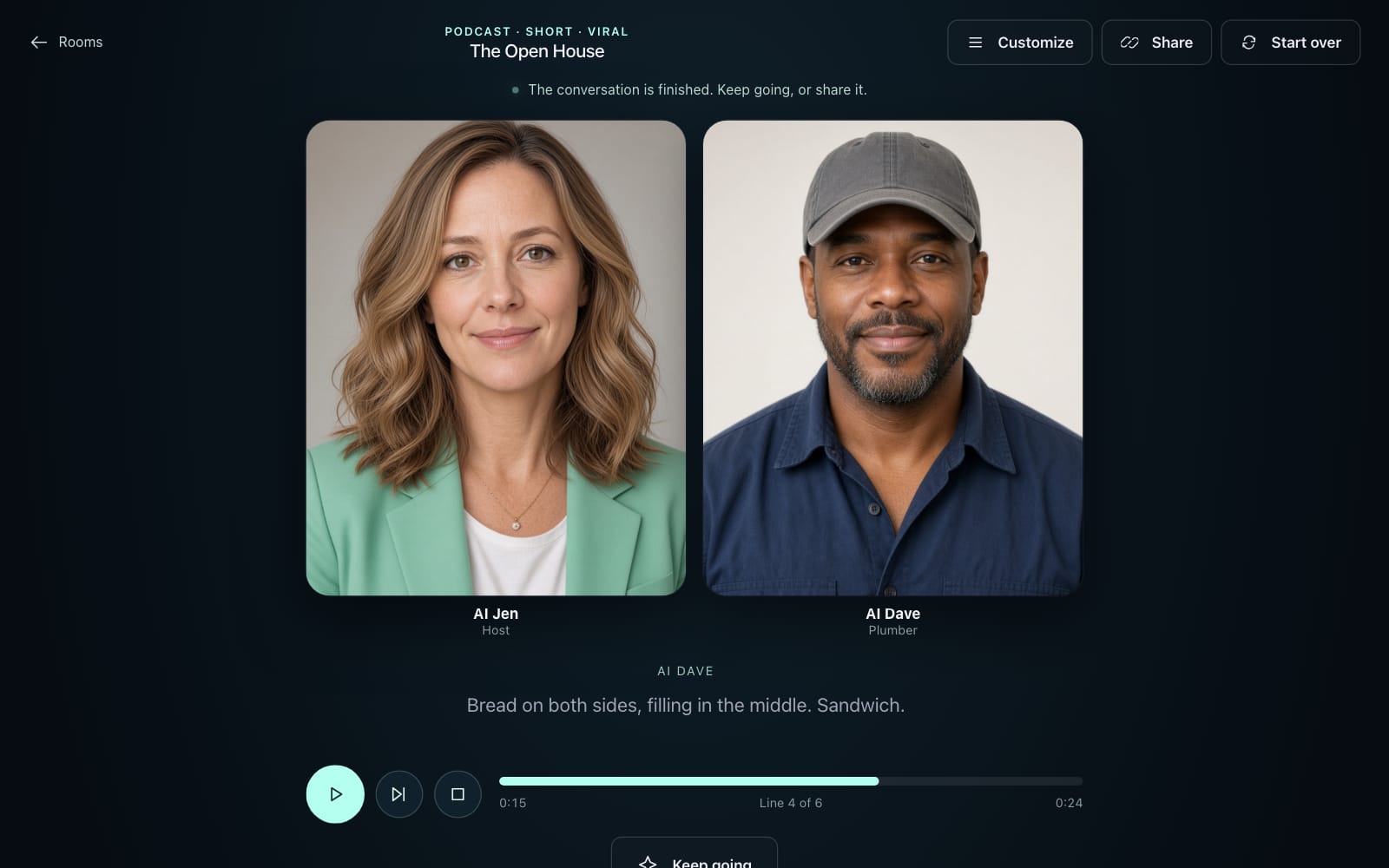
Put your AI Avatars in a Room for a podcast, an interview or a panel about your business. Listen or join in. Then save it as a video to post.
You set it up in conversation. You can change everything later.
Upload a photo, use your camera, or generate a face. Use only a face you have permission to use. Then pick a name and a voice.
Tell it your hours, prices and listings, or paste your FAQ, menu or price list. It turns them into its own instructions. You can also add files.
Add it to your website, put its QR code on your sign, or make a video with it.
At 11 p.m. and at 6 a.m., on your website, your link and your QR codes.
Visitors talk or type, in their own language.
Tell it your hours, prices and listings, or paste them in.
When a visitor wants more, it offers a form for their name and number, and you get an email.
At the start of every conversation, and whenever anyone asks.
It never takes money or makes promises for you. On Pro, visitors book open times on your Google Calendar.
Links are unlisted. Turn one off, or replace it, at any time.
Visitors choose whether to share a conversation with you. Your AI Avatar does not remember visitors between conversations.
Voices stream to the voice provider for processing. Personagram AI does not store raw audio.
A photo of a person needs that person’s permission. Generated faces are labeled as AI-generated.
Every share page and website bubble has a report link. Reports go to Personagram AI, not to the owner.
The pricing page lists what each action costs and estimates your monthly use.
Personagram AI gives your business an AI Avatar. It has a face, a name and a voice, and it knows what you teach it. It talks to your customers by voice or text, and it presents your social media videos.
It answers from what you teach it: your hours, prices, menu, services and policies. Teach it by talking to it, or paste an FAQ, a menu or a price list. You can also add files.
It never takes payments or makes promises for you. On Pro, connect your Google Calendar and visitors book times you have open: your AI Avatar opens a booking panel, and each booking becomes an event on your calendar and a lead in your email. Without a calendar, it tells customers how to reach you.
No. Each visitor conversation starts new. Visitors choose whether to share a conversation with you. When they do, you get an email, and you can read the conversation for 90 days.
No. Every AI Avatar is labeled as AI. It says it is an AI at the start of every conversation and whenever anyone asks. It cannot make promises or commitments for you.
Use your own face, a face you have permission to use, or a face you generate. The terms list what is not allowed.
On Pro, open your AI Avatar’s Share menu and choose Embed on a website. Your web designer or website builder adds it in a minute. Your AI Avatar appears as a bubble in the bottom-right corner. A tap opens a conversation by voice or text.
Open an AI Avatar’s menu and choose Create video, then describe what to promote. Pick an AI picture or an AI animation for a video of 10 to 30 seconds. Or upload up to 4 of your own photos for a video of 10 or 15 seconds. The AI writes the script, and your AI Avatar presents it with captions. The video ends with a QR code for your AI Avatar’s share link or your own link.
Yes. Under Customize, write a survey of up to 8 questions: free text, yes or no, or multiple choice. Your AI Avatar asks when the moment fits, once per conversation, and every question is optional. You read the answers in Conversations and in the survey’s results. Asking visitors is part of Pro.
No. Download the video, or share it from your device to Instagram, TikTok, LinkedIn, YouTube Shorts or X.
Free includes one AI Avatar, with a link and QR code to share it, and needs no card. Pro adds more AI Avatars, the website embed, surveys, Google Calendar booking and Rooms. The pricing page shows the current price and what each action costs.
Pro costs $19.00 a month. Pro includes up to 40 AI Avatars, the website embed, share links and QR codes, surveys, Google Calendar booking and Rooms. Cancel at any time. The pricing page has the details.
Your AI Avatars, files and conversations stay in your account until you delete them. Raw audio is not stored. Conversations that visitors share with you are kept for 90 days. The privacy policy lists everything we store.
Open the Plan page and delete your account there. Deletion removes all your data and cancels Pro. Backups age out within 30 days.
Sign in with Google or email.